
Audits and Reports
White-label reports
Configure branded reports for agency and client workflows.
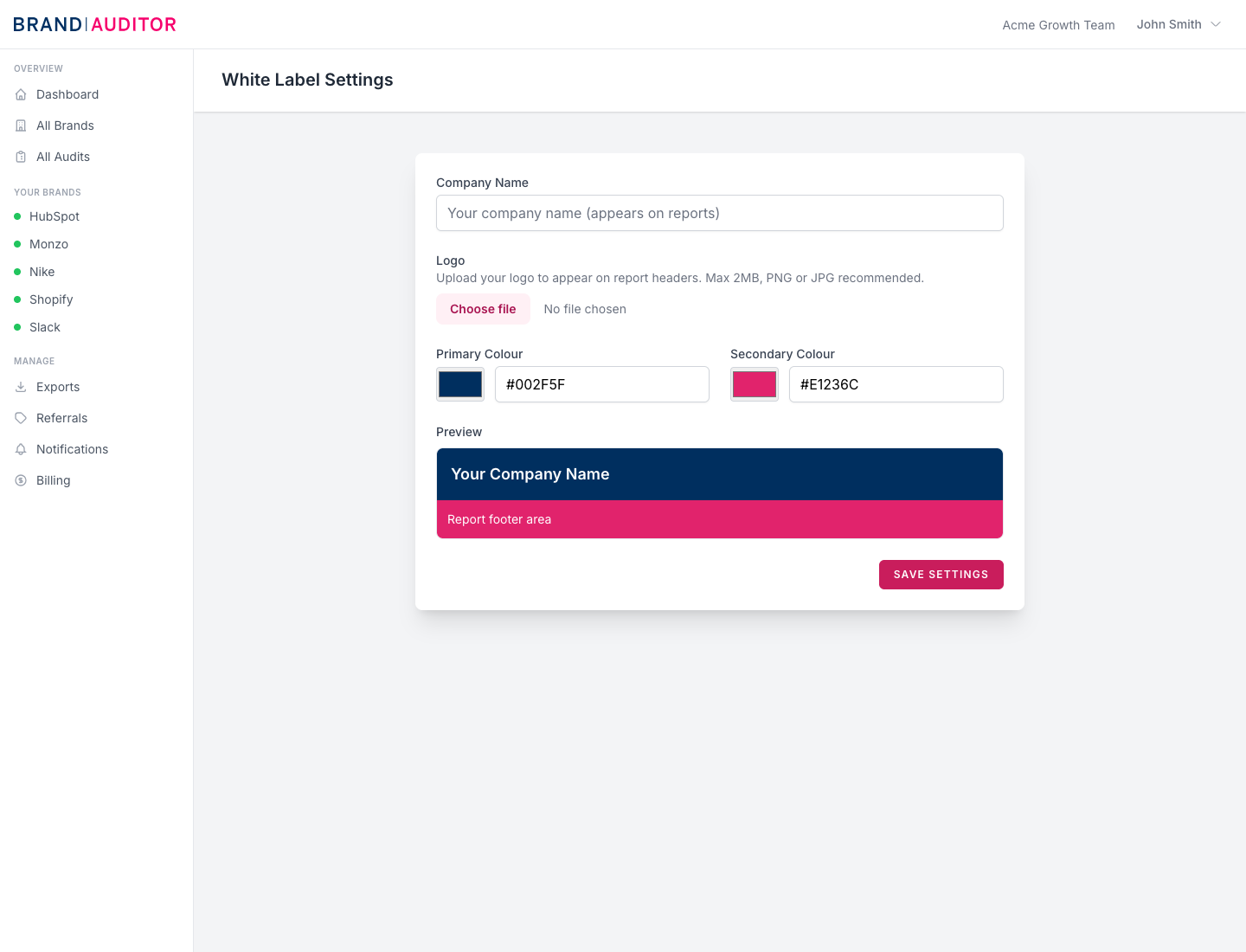
White-label access
White-label reporting is included on Professional and Enterprise teams. The signed-in team can configure report branding from White Label Settings.
Branding fields
The settings page stores company name, primary colour, secondary colour, and an optional logo. Colour values must be valid six-digit hex colours, such as #002F5F.
Logo uploads must be images and are limited to 2 MB. The UI recommends PNG or JPG.
Logo storage and removal
Uploaded logos are stored in DigitalOcean Spaces under the team branding path with public visibility. When a logo is replaced or removed, the previous stored file is deleted to avoid leaving old public assets behind.
How branding appears in reports
Report data uses the team settings logo URL, primary colour, secondary colour, and company name. If no settings exist, Brand Auditor falls back to default colours and company name.