
Team and Account
Notification preferences
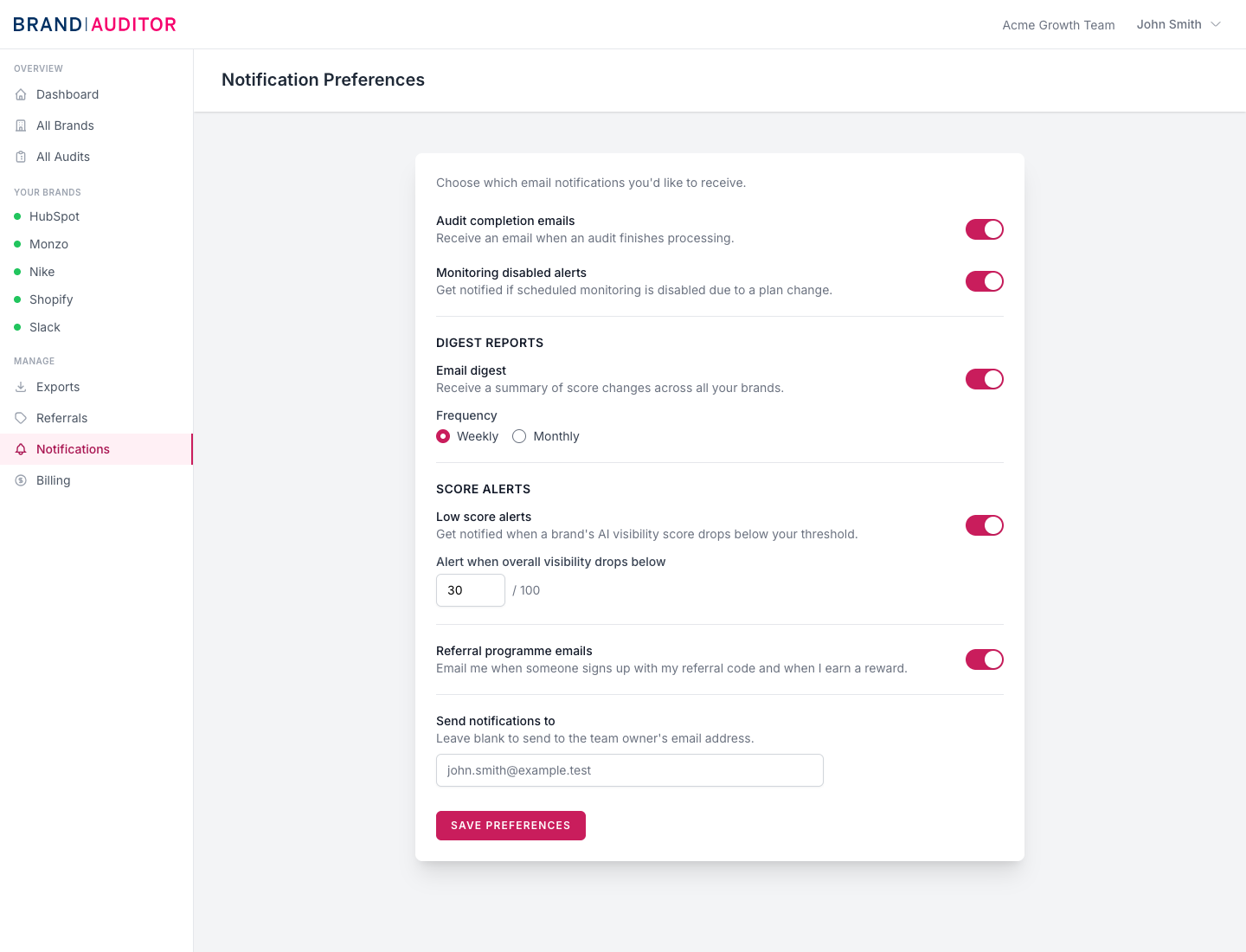
Control which product emails and alerts you receive.
Owner-only settings
Notification preferences are team settings, so only the team owner can save changes. Other team members may see the settings page, but saving changes is blocked with a 403 response.
Available notification types
The page includes toggles for audit completion emails, monitoring disabled alerts, digest reports, low score alerts, and referral programme emails.
Digest reports can be weekly or monthly. Low score alerts use a threshold from 1 to 100, with the default threshold set to 30.
Notification email rules
Leave the notification email blank to send notifications to the team owner email address.
For security, a custom notification email must match the team owner email. Brand Auditor does not currently allow routing audit notifications to an arbitrary teammate or external inbox.
When to adjust alerts
Keep audit completion emails on while onboarding so the owner knows when first reports are ready. After scheduled monitoring is established, use digests and low score alerts to reduce inbox noise while still catching important movement.